claritylens
A browser extension concept that turns terms and conditions into plain language, so people know what they are agreeing to.
~ problem
Terms and conditions are hard to read, and some companies use that as a dark pattern to hide harmful terms.
Most people never read them. They click agree without knowing what they’ve actually signed up for. [1]
Even if they tried, these documents are written above a normal reading level. Most need a college education to fully understand them. [2]
So when something goes wrong, that agreement is used against them. [3]
~~ research
RESEARCH SAYS
01: Proof people don’t read
Obar & Oeldorf-Hirsch (2018), Information, Communication & SocietyResearchers gave 543 people a privacy policy and terms of service to read. Reading them properly should have taken 15 to 17 minutes. Most people spent just 51 seconds. Almost everyone (98%) missed a fake clause saying their data could be shared with the National Security Agency (NSA), and another saying they’d have to hand over their first-born child. Even so, 93 to 97% clicked agree.
RESEARCH SAYS
02: Proof it’s unreadable
Fabian, Ermakova & Lentz (2017), Proceedings of WI ’17Researchers checked how hard it is to read nearly 50,000 privacy policies. On average, you’d need 13 to 14 years of education to understand them. That’s college level, for documents everyone is expected to read.
RESEARCH SAYS
03: Proof it backfires
Goldberg Law Group (2026), Survey of 1,002 United States AdultsOnly 16% of Americans read every word of a contract before signing, and 88% have clicked “I agree” on digital terms without reading them. Most people (86%) don’t think contracts are written to be understood, and 94% think companies should have to include a plain-language summary.
Design thinking
I wanted some proof if this problem had some consequence. Someone somewhere in the world must have suffered and brought some company to court. I found adults suing companies then wondered if kids were affected too, and found a case there as well.
~ cases and who it affects
DISNEY VS PUBLIC
Affects adults
A man sued after his wife died following a meal at a restaurant in Disney Springs. Disney claimed that since he once signed up for a Disney+ free trial, he had agreed to settle all future problems with Disney through private arbitration instead of a public trial.
Verdict: After public backlash, Disney dropped the argument and said it would waive arbitration. [4]
NGL VS TEENAGERS
Affects children and teenagers
NGL, short for “not gonna lie”, marketed its app to teenagers as a safe space with “world class” artificial intelligence (AI) moderation. The Federal Trade Commission (FTC) said that was false. Complaints said the app failed to prevent “rampant cyberbullying and threats against children and teens”, and one person reported that a friend attempted suicide because of it. The FTC also said NGL sent fake messages to sell hints about who sent them.
Verdict: NGL settled with the FTC and the Los Angeles District Attorney for $5 million and agreed not to offer the app to anyone under 18. [5]
It affects everyone getting into a contract.
~ solution
Most people do not read terms, and the terms are written above a normal reading level. In a survey of 1,002 U.S. adults, 94% said companies should have to include a plain-language summary. [1][2][3]
ClarityLens is a browser extension which scans the policy on the screen and uses AI to simplify it, so people know what they are agreeing to.
Design thinking
While researching the court cases, I used ChatGPT to summarize them, since legal writing is as dense as terms and conditions. That showed me the same approach could work here: use AI to simplify the language.
~ how it works
Behind the scenes, ClarityLens works in four steps.
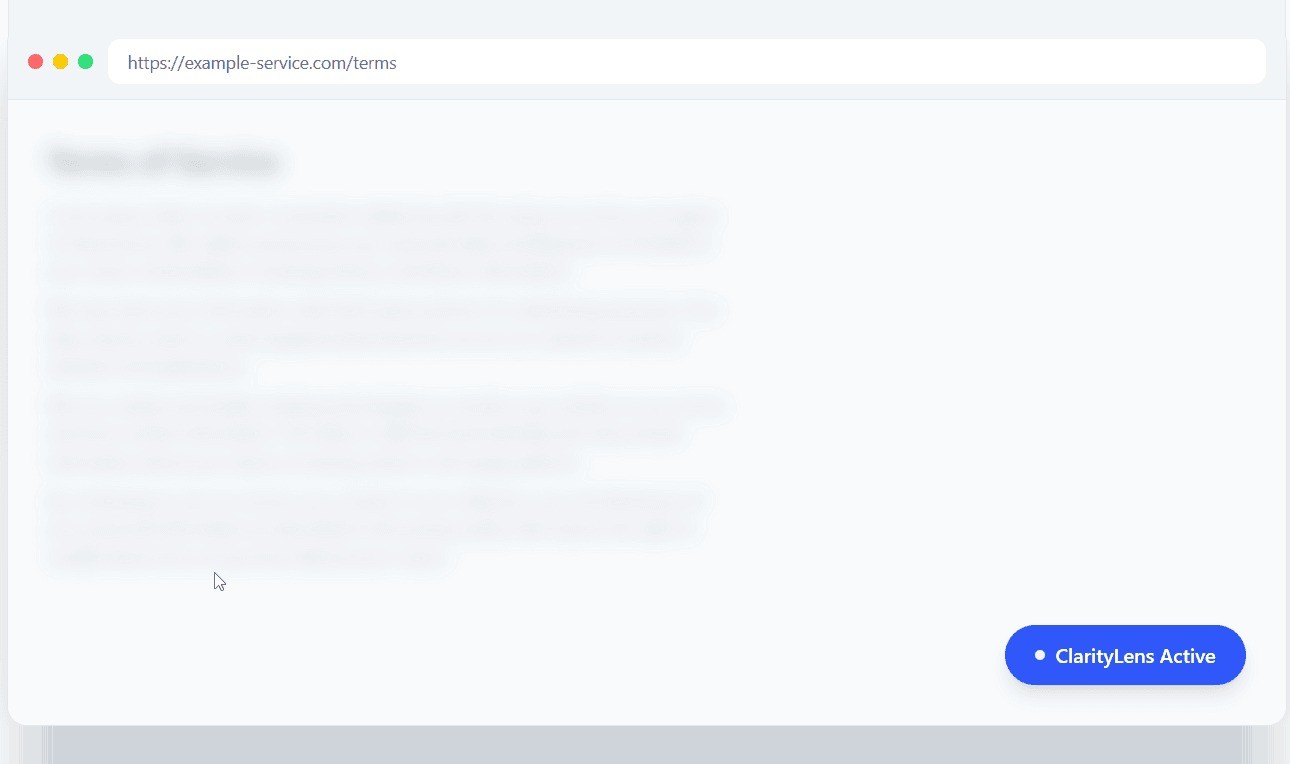
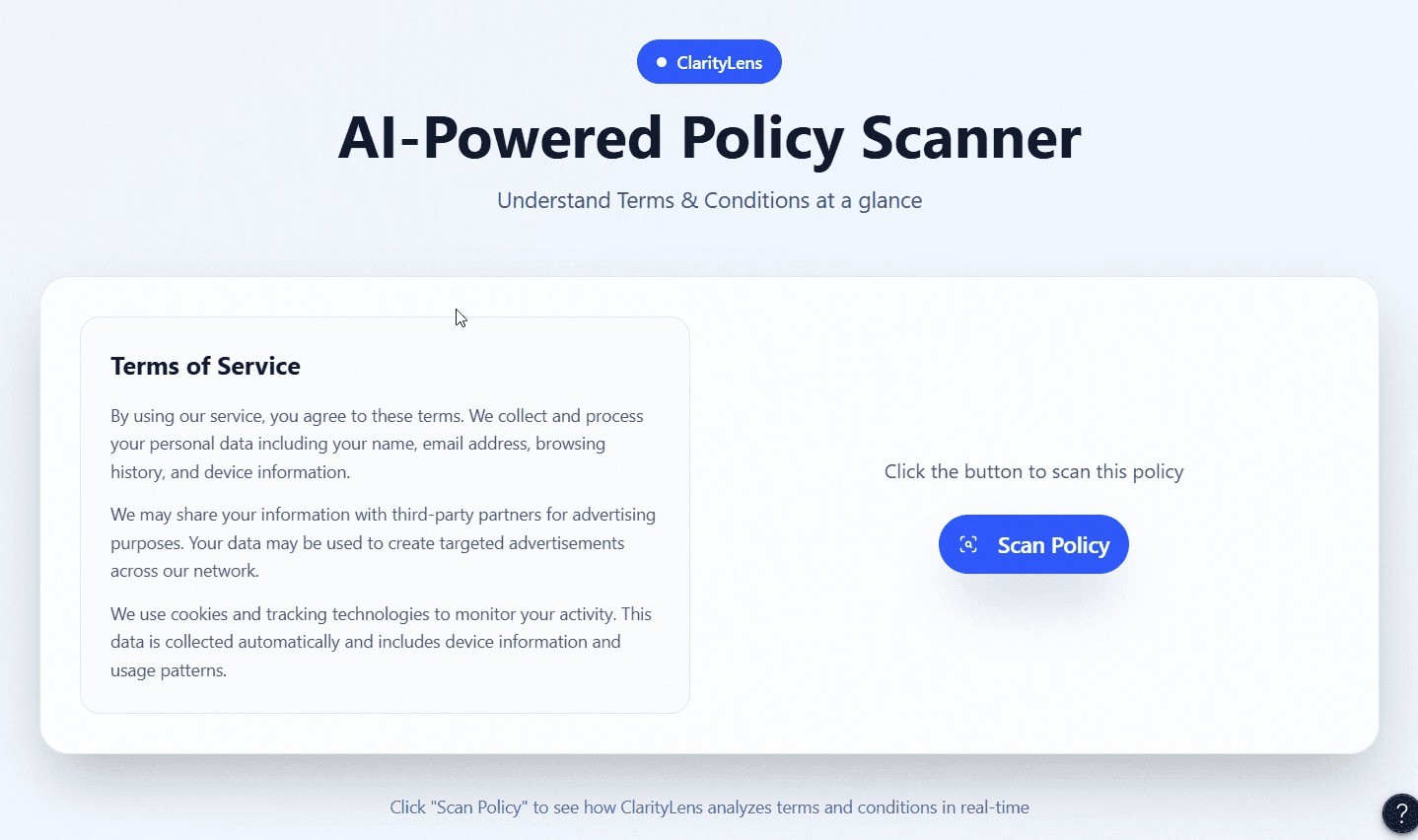
- A terms or privacy page loads and a small button, the pill, appears
- The user clicks the pill
- The extension gives the page text to the AI
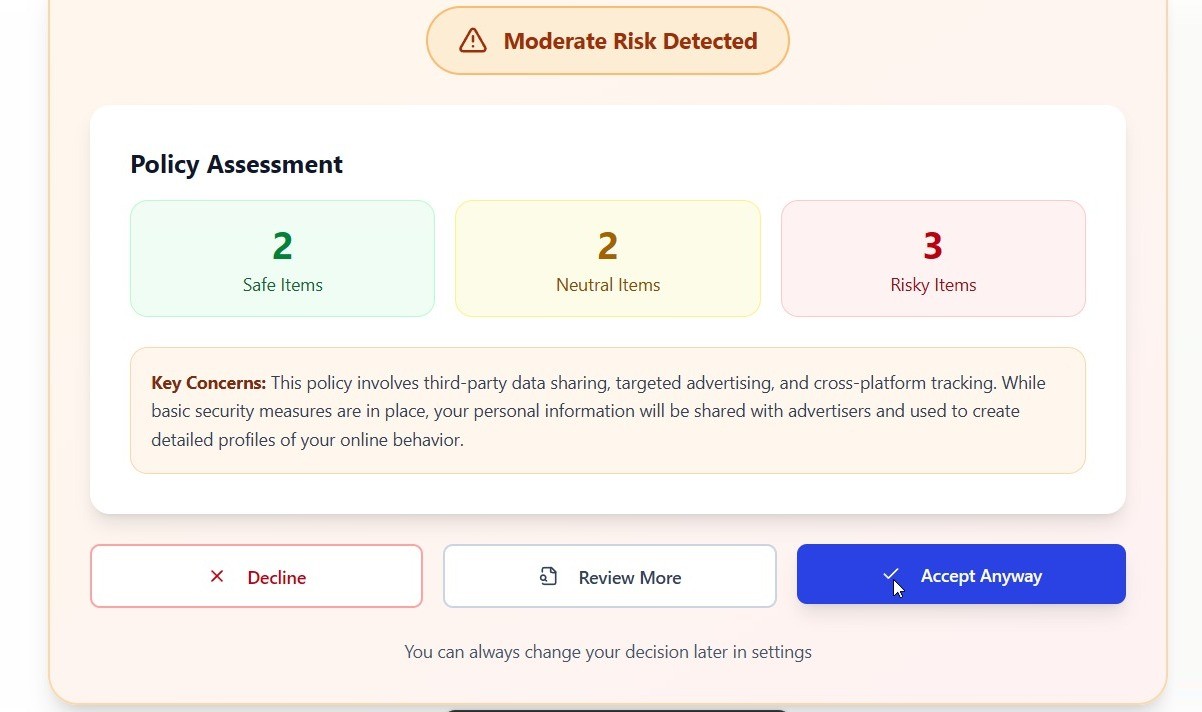
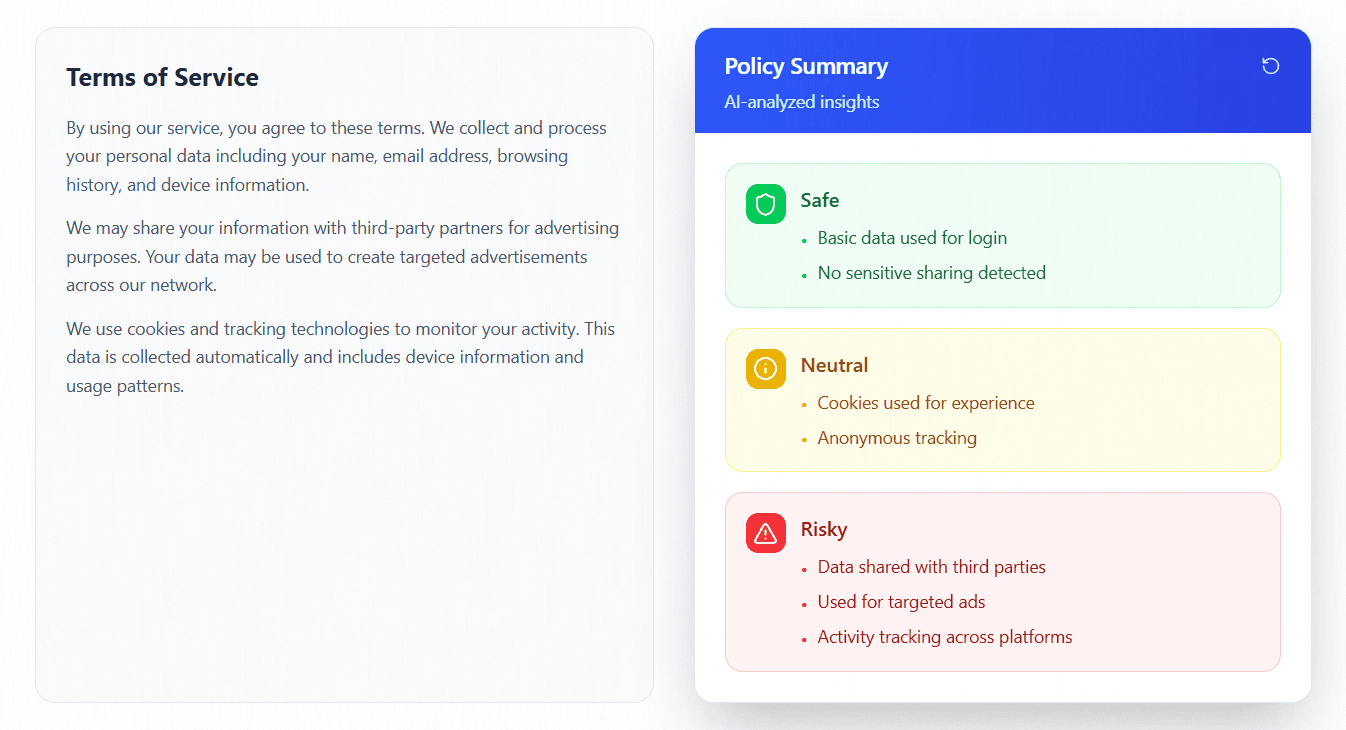
- The AI returns a summary, with a Safe, Neutral or Risky label on each point
The AI step can run in two places. Chrome supports both in extensions. [6]
ON THE USER’S COMPUTER
Chrome has an AI built in that runs inside the browser. The policy text stays on the user’s computer, and it can work without internet.
ON GOOGLE’S SERVERS
The text is sent over the internet to Google’s servers, where a more powerful AI reads it. The privacy policy has to say what is shared. There is a free plan, and on it Google can use the content to improve its products. [7]
I would start on the user’s computer, so the policy text stays with them. The trade-off is that this AI is smaller, so it may be less accurate.
This works in Chrome. Other browsers would need the cloud option.
~~ competition analysis
Terms of Service; Didn’t Read (ToS;DR) is a public project where volunteers review a service’s policies and grade them from A to E. [8]
ToS;DR covers the services it has reviewed. ClarityLens reads the policy on the screen.
How a policy is rated
Reviewers read a service’s policies and publish a report.
AI reads the policy on the screen and labels each point.
What it covers
A limited list of services. Many are not yet reviewed.
Any terms or privacy page the user opens.
When
The report exists before the user arrives.
It reads the policy when the user asks.
ToS;DR is a useful reference for the services it covers. ClarityLens is meant to cover the rest.
~ design decisions
Pill
An extension makes this possible because it removes the copy and paste. The pill takes it one step further: five steps become two.
BEFORE: COPY AND PASTE, 5 STEPS
- Open the terms page
- Select and copy the text
- Open an AI tool in a new tab
- Paste the text and ask for a summary
- Read the summary
AFTER: WITH THE PILL, 2 STEPS
- Click “Scan with ClarityLens”
- Get a simple summary, sorted by risk
Levels
Not every policy is bad, and I did not want people guessing about the rest. So every policy gets a level, in the green, yellow and red people already know.
Safe
The opposite of risky, or required by law or by how the service works.
Neutral
Needed to run the service, like a rental app asking for your address.
Risky
Puts someone’s security or privacy at risk, or uses dark patterns to steer what they do or decide.
My own judgment, based on the good, neutral and bad points of ToS;DR and the FTC’s definition of dark patterns. [8][9]
~ failures and constraints
no testing
I did not test this. ClarityLens stayed a prototype, so there was no user study and I have no testing data. Real user testing is the next step before it becomes a built extension.
unoptimized visual design
We had only 7 days. That left no time to design the interface carefully, so we used AI to generate the design. The colors and fonts could have been improved.
~ references
- [1] Obar, J. A., & Oeldorf-Hirsch, A. (2018). The Biggest Lie on the Internet: Ignoring the Privacy Policies and Terms of Service Policies of Social Networking Services. Information, Communication & Society.
- [2] Fabian, B., Ermakova, T., & Lentz, T. (2017). Large-Scale Readability Analysis of Privacy Policies. Proceedings of WI ’17.
- [3] Goldberg Law Group (2026). The Fine Print Problem: How Americans Really Interact With Contracts.
- [4] Marcelo, P. (2024, August 20). Disney drops bid to have allergy-death lawsuit tossed because plaintiff signed up for Disney+. Associated Press.
- [5] Federal Trade Commission (2024, July 9). FTC Order Will Ban NGL Labs and its Founders from Offering Anonymous Messaging Apps to Kids Under 18 and Halt Deceptive Claims Around AI Content Moderation.
- [6] Chrome for Developers. Use AI in Chrome extensions.
- [7] Google AI for Developers. Gemini API pricing.
- [8] Terms of Service; Didn’t Read. About ToS;DR and how services are rated.
- [9] Federal Trade Commission (2022). Bringing Dark Patterns to Light, Staff Report.